
The latest version of the PharmaGuide app is now available on the Google Play Store. If you face any issues in downloading the data, you can install our previous version of the app. The earlier version remains fully functional and can be used without interruption.
How to Download and Install PharmaGuide:
1. Download the App:
Use the link below to download the app directly to your device.
2. Install the App:
Go to your browser’s Downloads folder and tap on pharmaguide.apk.
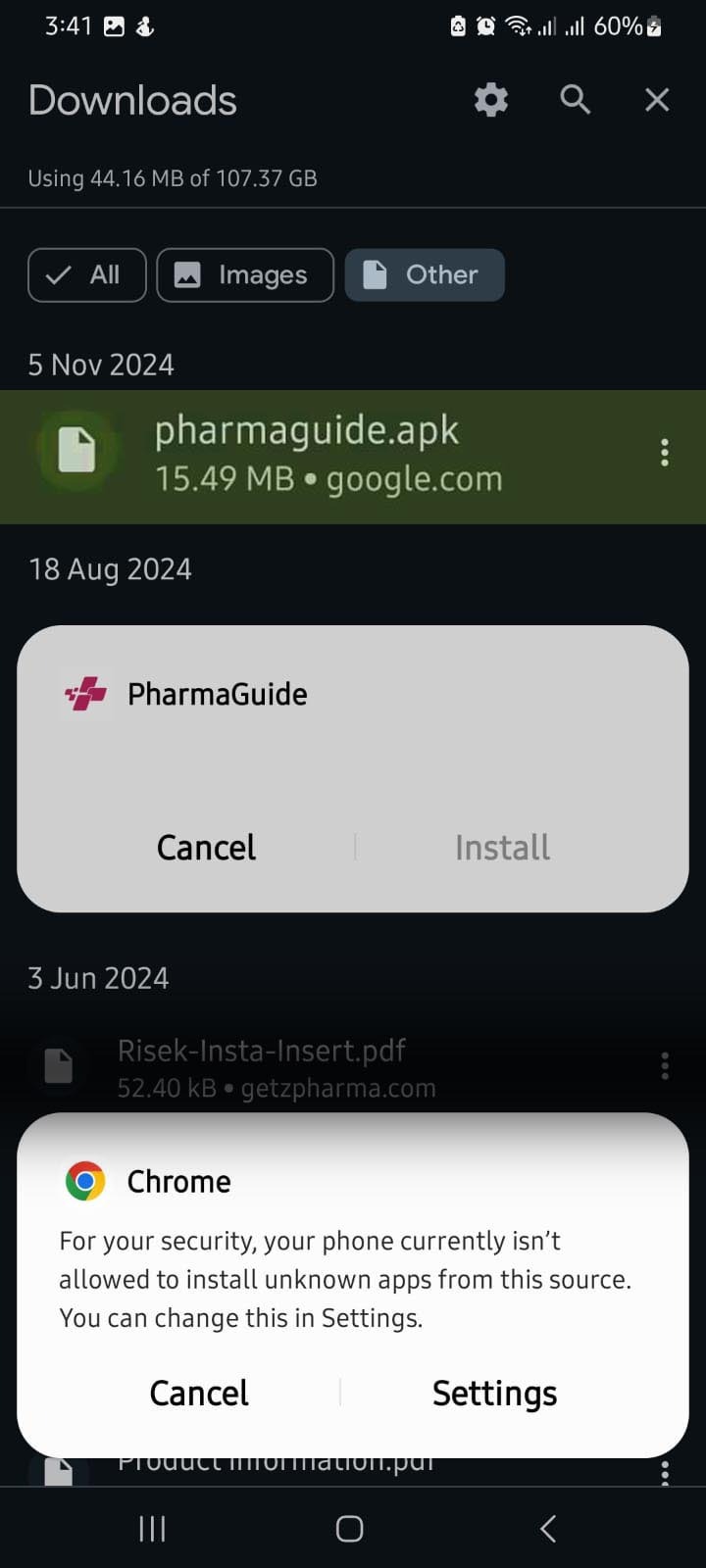
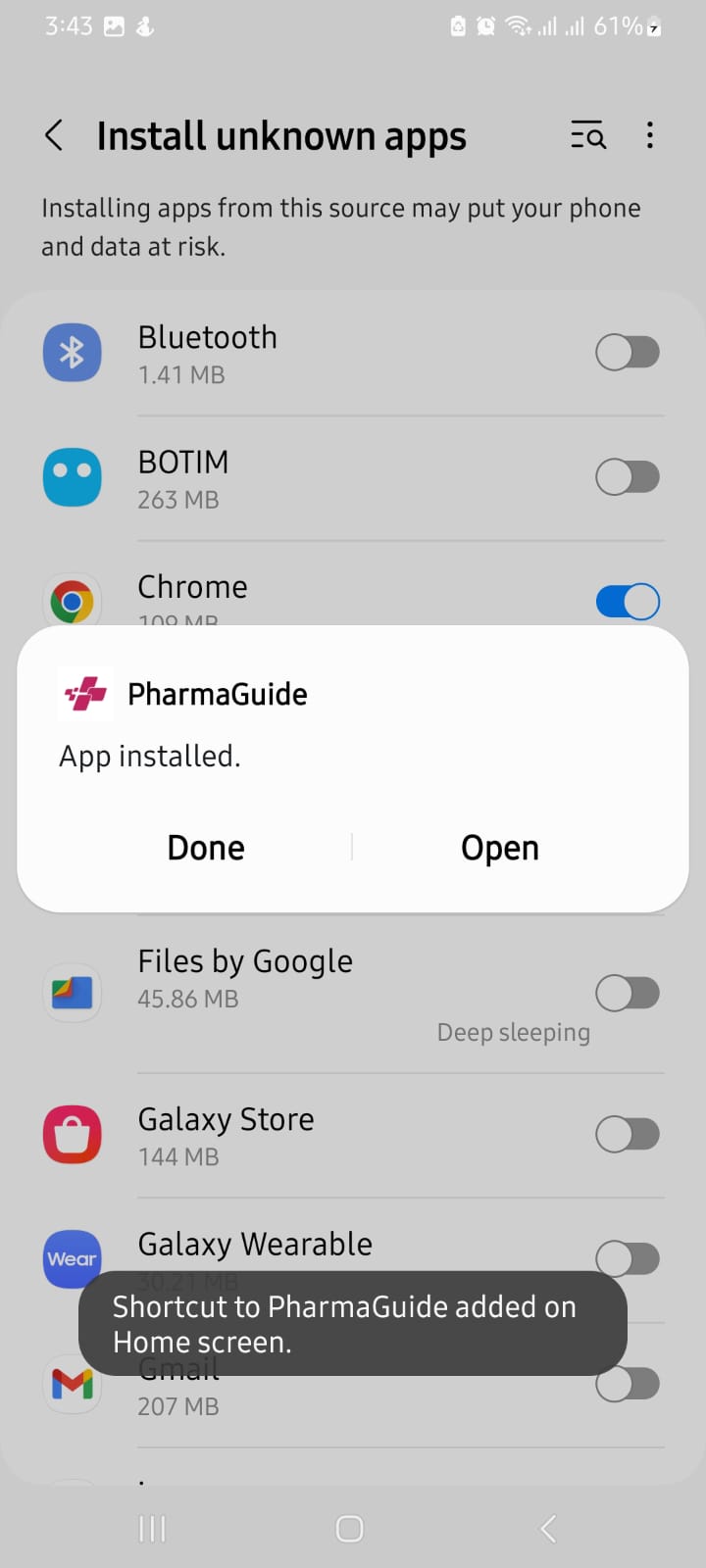
When prompted, allow your browser (e.g., Chrome) to install apps from this source:
a) Settings > Allow from this source (this may vary slightly based on your browser).
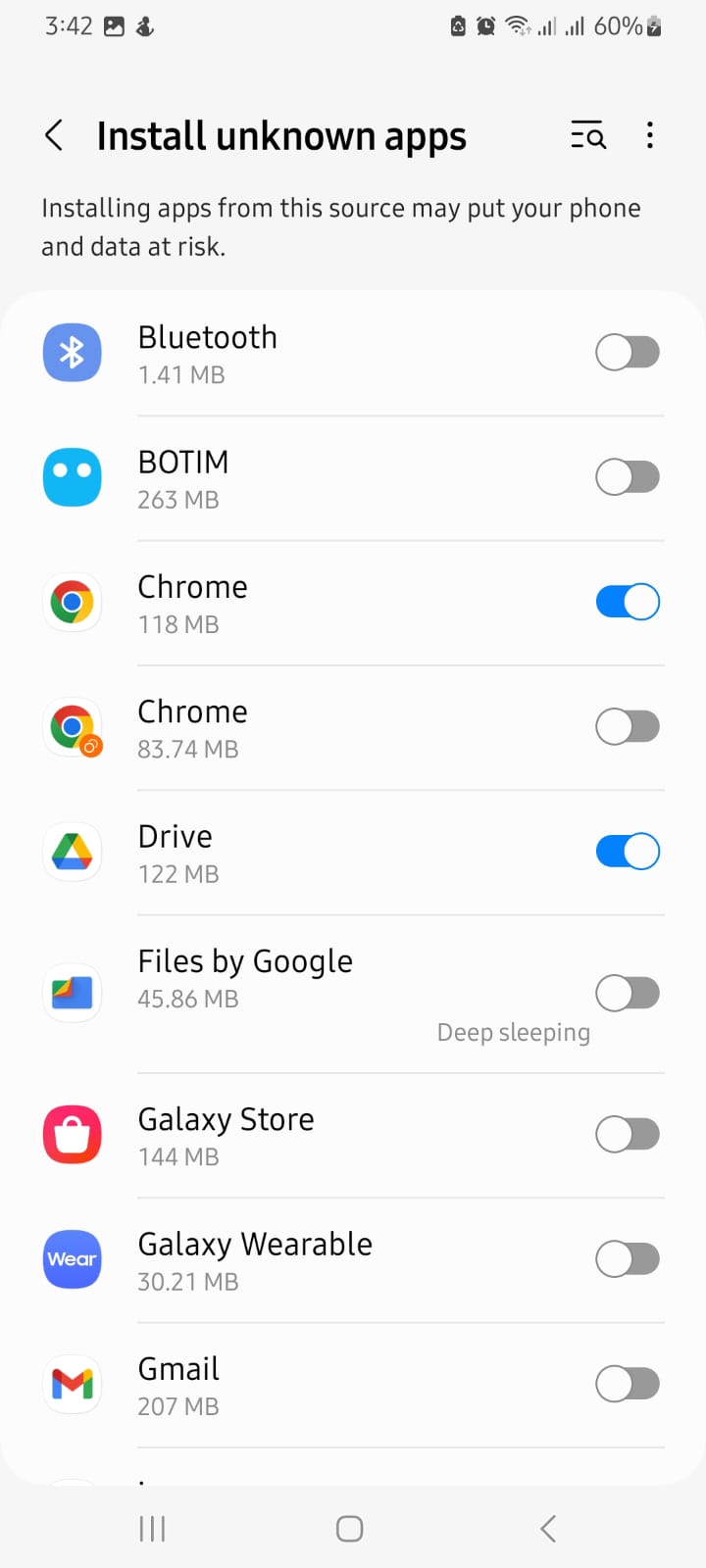
3. Finish Installation:
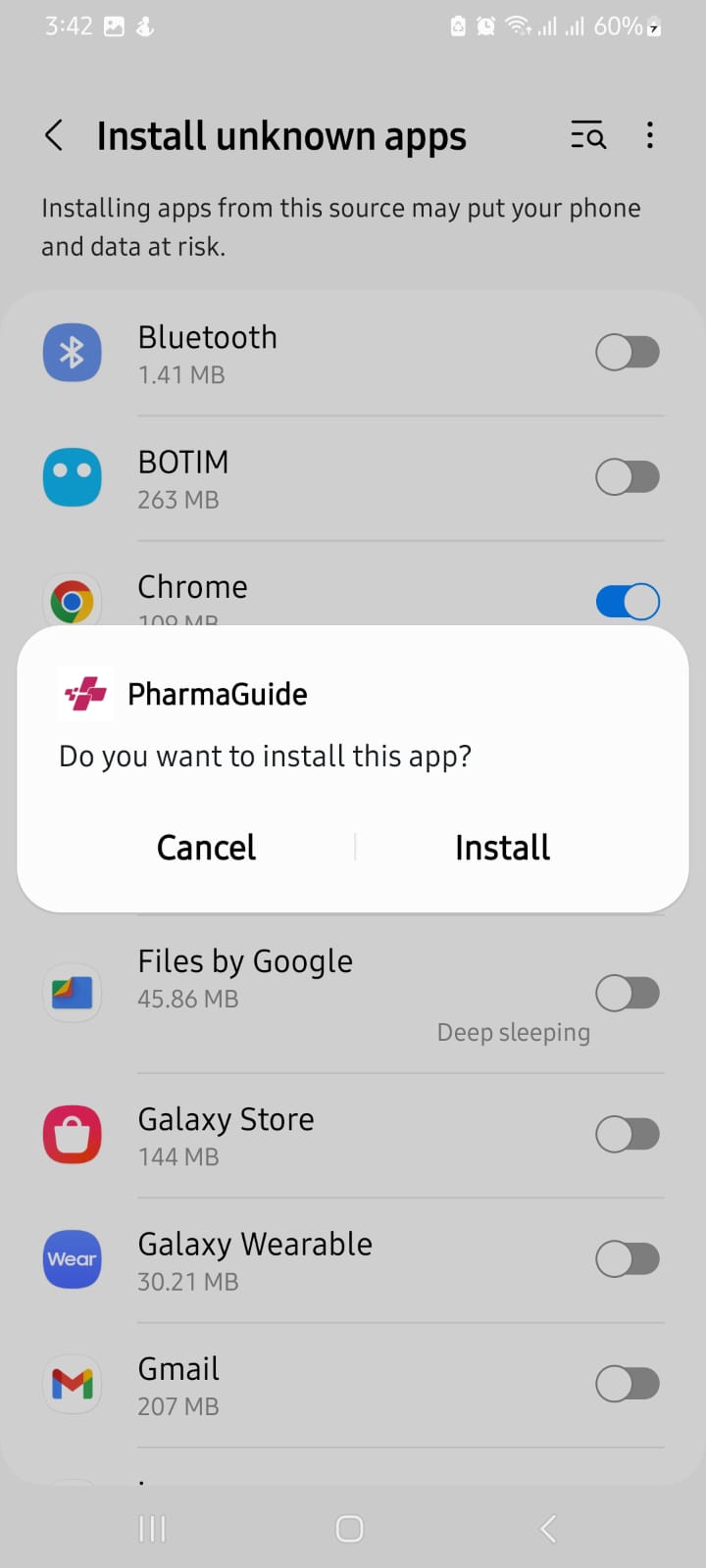
After granting permission, tap Install when prompted.
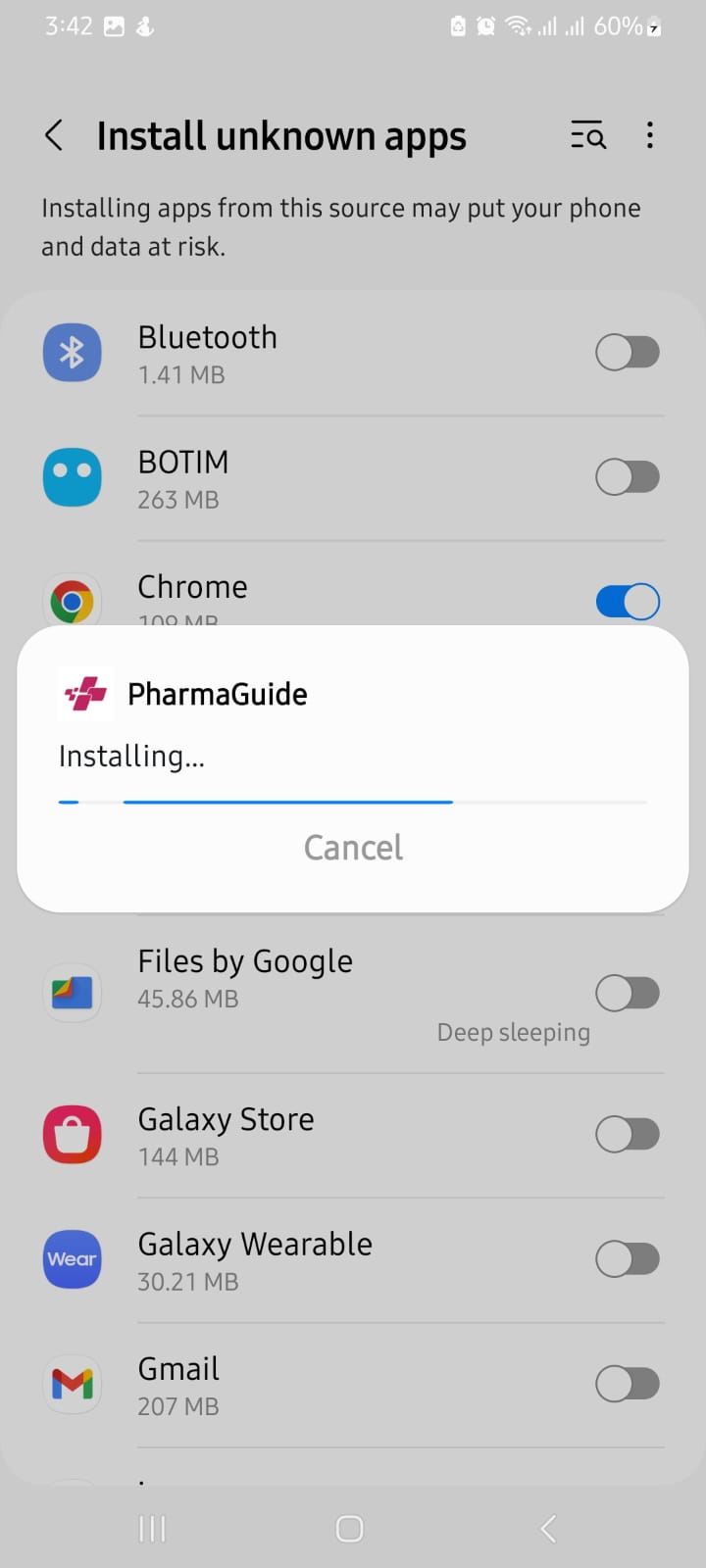
Please wait while the app is being installed.
Once the installation is complete, tap Open to launch the PharmaGuide app.
Now, you can use the PharmaGuide app.
